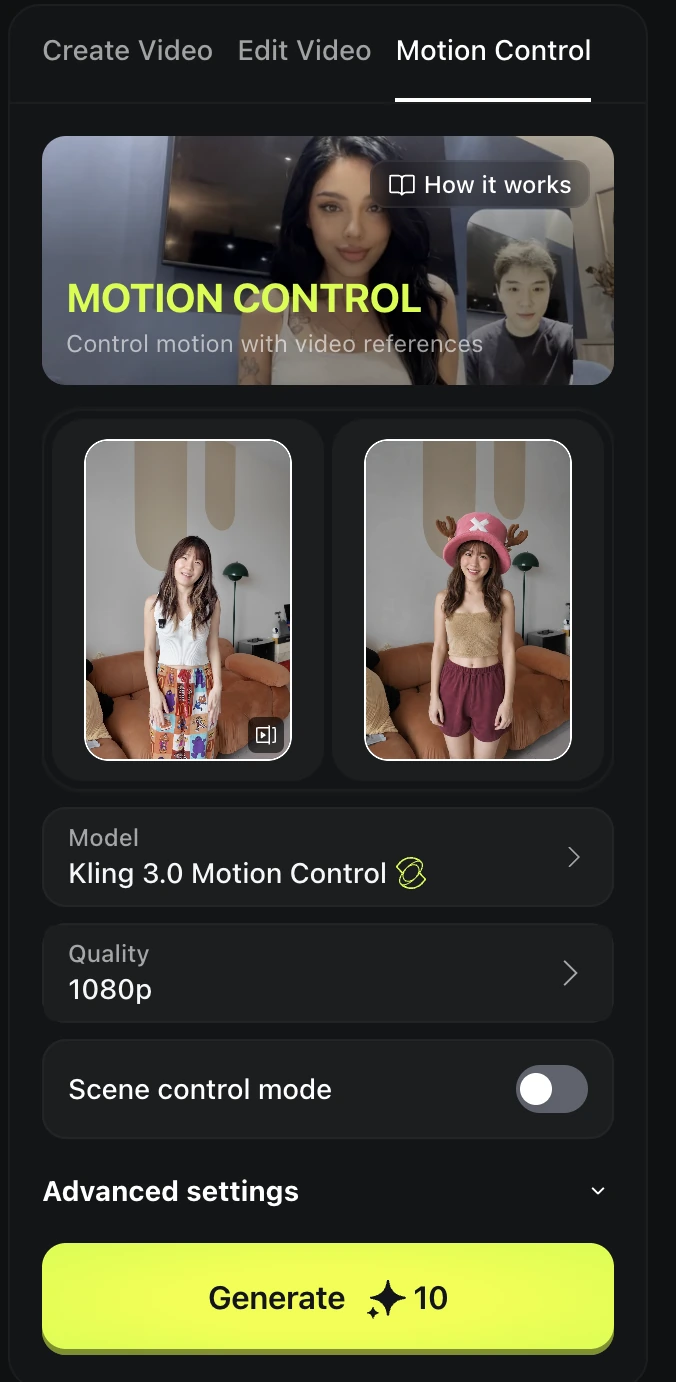
Menu names and model availability can change. Follow the steps using the image and motion tools available in your account.
Turn yourself into an anime character
Step 1: Record a video and take a screenshot
Record a simple video of yourself.
In the video, choose a frame where your face is clear and take a screenshot.
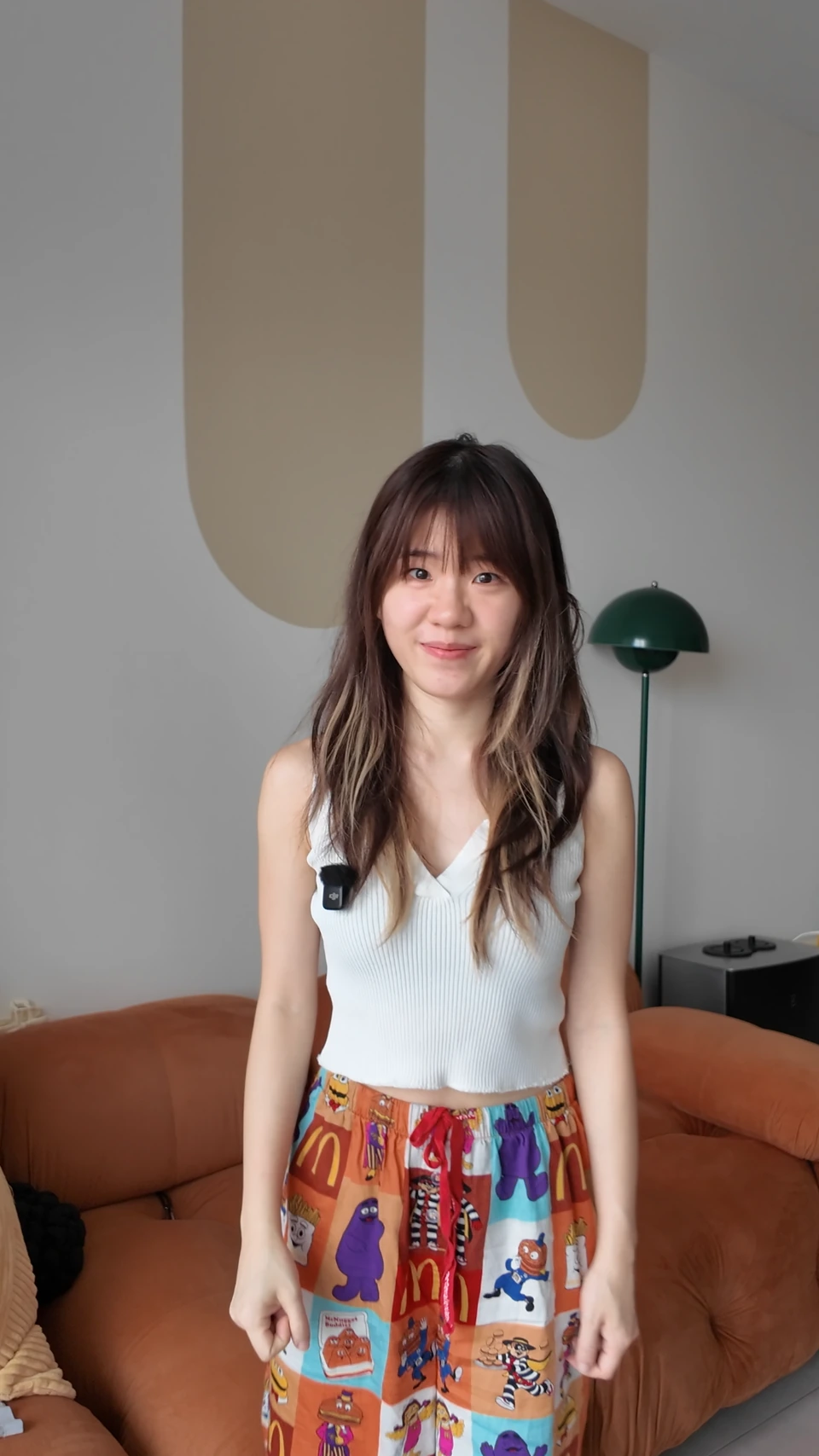
Step 2: Create a realistic photo of your favorite anime character
After completing this, you will get a "character version" photo, with the same scene and pose as the original screenshot.
Tool: ChatGPT Images 2.0 — the effect is the most realistic.
Upload two images:
First image: the screenshot from the video you recorded Second image: the character image you want to apply
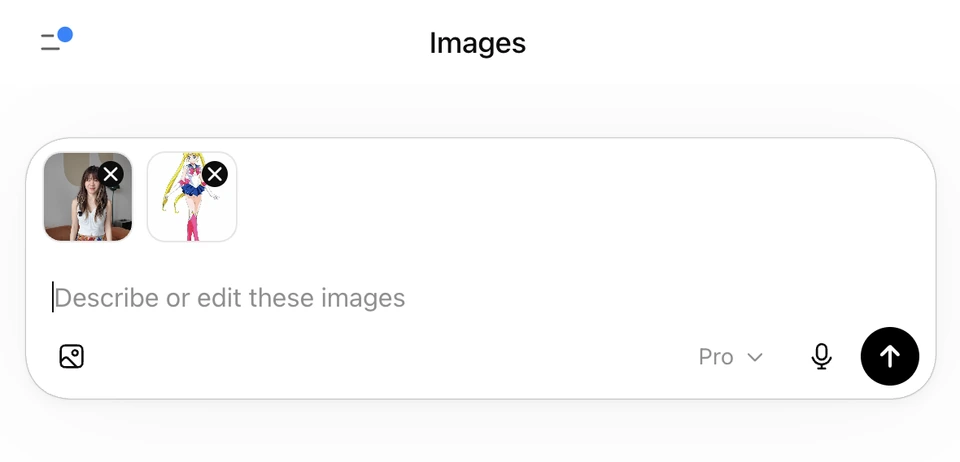
Paste the prompt provided below and submit it for generation. Both 2D anime characters and real-world characters can be used. The prompt does not need to be modified.
Use the FIRST image strictly as the scene, camera, and composition reference.
Use the SECOND image as the ONLY character identity reference.

Task:
Replace the person in the first image with a realistic human version of the anime character from the second image.

SCENE LOCK (ABSOLUTE — HIGHEST PRIORITY):
Preserve the first image exactly:
- background (all objects, shelf, desk, decorations)
- lighting and color
- shadows and depth
- camera angle
- framing (upper body, medium close-up)
- perspective
Do NOT modify, regenerate, or reinterpret ANY part of the environment.

STRICT COMPOSITION LOCK:
Maintain identical framing:
- same crop (mid-torso to head)
- same subject position
- same camera distance
Do NOT zoom, crop, or reframe.

FULL CHARACTER OVERRIDE (CRITICAL):
The original person from the first image must be completely removed and replaced.

The new character must be based ONLY on the second image:
- face
- hairstyle
- glasses (if present)
- outfit
- overall identity
NO visual traits from the first person are allowed to remain.

CHARACTER REALIZATION:
Convert the anime character into a realistic human while preserving identity:
- recognizable facial impression
- realistic bone structure
- natural proportions
- slight asymmetry

Skin:
Natural skin texture, pores, subtle imperfections. No smoothing, no plastic look.

Hair:
Anime hairstyle translated into real hair strands, natural density, slightly imperfect.

Outfit (PRIORITY):
Clothing must follow the SECOND image:
- same design
- translated into realistic fabric
- natural wrinkles and structure

CRITICAL — hands:
Hands must follow the pose from the FIRST image.
Hands must be empty. No objects, no props.

POSE LOCK:
Match the exact body posture from the FIRST image:
- seated position
- shoulder alignment
- head position

LIGHTING MATCH:
Apply the lighting from the FIRST image to the new character naturally.

REALISM:
The result must look like a real photograph taken in that exact room,
with only the person changed.

ANTI-MIX RULE:
Do NOT blend or mix the two identities.
Do NOT keep any facial features, hairstyle, or clothing from the first person.

Negative prompt:
mixed identity, original person traits, background change, camera shift, reframing,
zoom, props, weapon, anime style, CGI skin, plastic texture, distorted anatomy
Step 3: Go to Higgsfield.ai and find Kling Motion Control
Upload the video you recorded, along with the realistic anime character photo you generated.
Click "Generate", and your AI avatar is complete.